

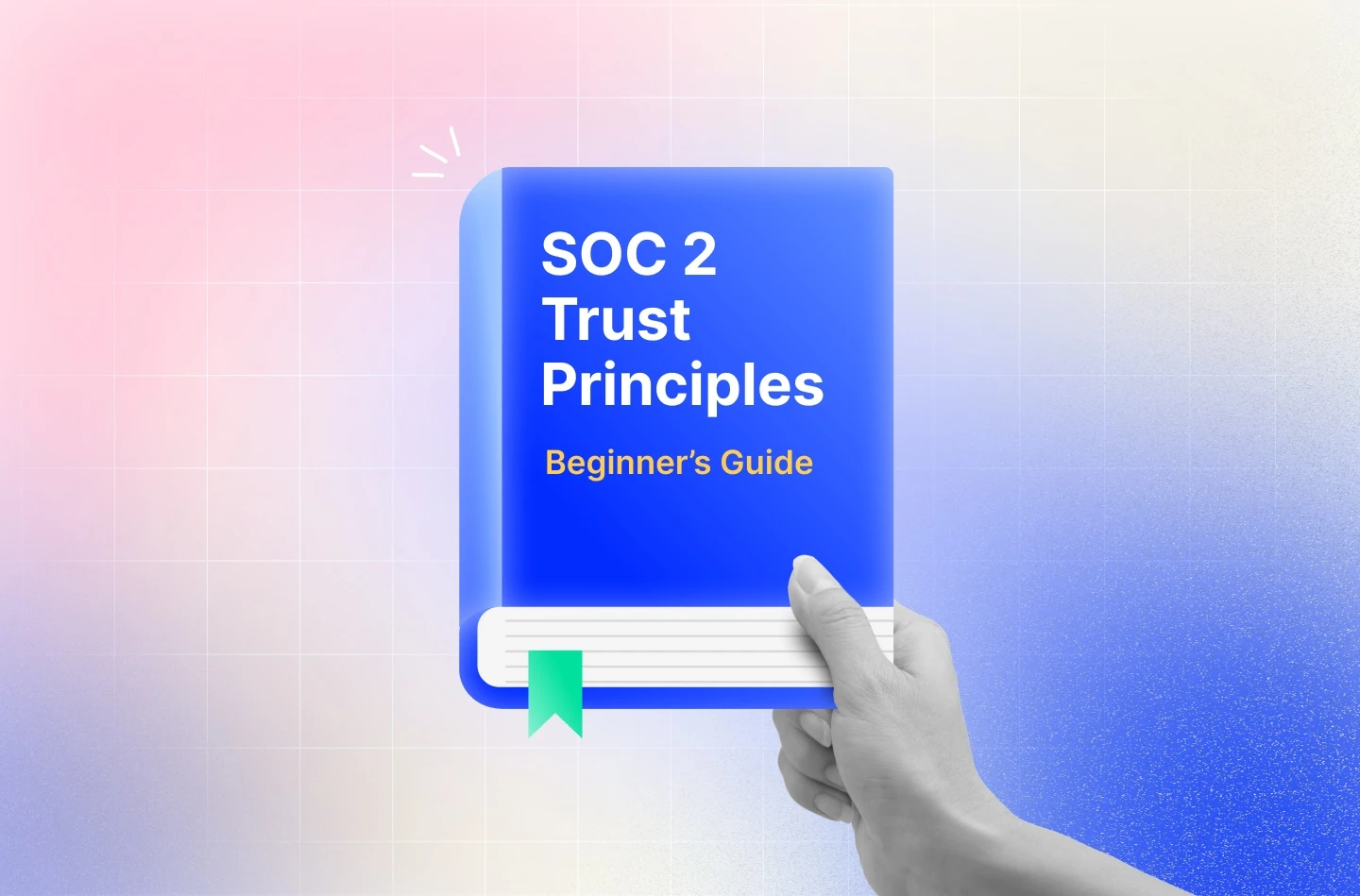
Prospects starting with SOC 2 often rely on guesswork when choosing the TSCs that apply to their organization. It’s one of the first decisions in the SOC 2 journey, and it directly shapes your audit scope, cost, and timelines. Choosing correctly ensures you meet customer expectations without overextending your team.This guide breaks down what each SOC 2 Trust Principle means, when it applies, and how to scope your audit with confidence.
- SOC 2 is based on 5 principles, of which Security is the only mandatory one, while Availability, Confidentiality, Privacy and Processing integrity are optional. These principles determine the audit scope and the controls that your organization must prove.
- The optional TSCs are chosen based on your product and customer expectations. For example, if your service requires uptime and SLAs, availability is the right choice and if you collect or process personal data, privacy is the one you must choose.
- Each principle adds more evidence, testing, effort and costs so the choice must be made carefully. Most small businesses start with Security and layer others as requirements grow.
What are the SOC 2 Trust Principles?
The SOC 2 Trust Principles are five AICPA-defined criteria: Security, Availability, Processing Integrity, Confidentiality, and Privacy. These Trust Service Criteria (TSC) provide a comprehensive framework for assessing operational controls within systems that store, process, or transmit sensitive customer data.
The Five SOC 2 Trust Principles: Overview
Every SOC 2 audit is scoped around one or more of these five principles. Security is always included. The others are optional. It’s crucial that you understand the purpose of each of these principles to include the right ones in your scope:
1. Security (Common Criteria – Required)
Security is the baseline for every SOC 2 audit. It ensures systems are protected against unauthorized access, both physical and logical. The criterion covers everything from firewalls and access controls to intrusion detection and secure configuration.
2. Availability (Optional)
Availability focuses on whether your systems are reliable and accessible when users need them. It evaluates your uptime commitments, disaster recovery processes, and system monitoring.
3. Processing Integrity (Optional)
This principle evaluates whether your systems process data accurately, completely, and in a timely manner. It is especially relevant for platforms where data processing errors could have a catastrophic impact, such as billing platforms or analytics tools.
4. Confidentiality (Optional)
Confidentiality refers to the protection of sensitive business information such as internal documents and intellectual property. It validates whether the appropriate access restrictions, encryption, and disposal practices are in place.
5. Privacy (Optional)
Privacy applies when you collect, store, or share personal data. It assesses whether your data handling practices align with your privacy policies and comply with data privacy laws such as GDPR.
A deep dive into the SOC 2 TSC:
1. Security (Common Criteria)
Security, also referred to as the Common Criteria, is the foundational principle under SOC 2 and is mandatory for every audit. It focuses on protecting systems and data from unauthorized internal or external access.
The scope of Security isn’t limited to digital threats. It also covers physical safeguards, such as office access, personnel measures like background checks, and operational controls, including incident response and change management.
The Security TSC is implemented through the Common Criteria (CC series), which is organized into nine control categories (CC1.1 to CC9.2).
Here’s a high-level view of the 9 CC categories along with examples of SOC 2 controls that auditors expect:
CC1: Control Environment
This category of controls assesses the seriousness with which your leadership approaches security and compliance. The auditor checks whether governance structures are in place, leaders are accountable for outcomes, and there’s a clear culture of responsibility and security.
Control examples include acknowledgement of the code of conduct, organization chart, and documented security roles and responsibilities.
CC2: Communication and Information
Here, the auditor evaluates the effectiveness of communicating information related to internal controls, both within the organization and to external parties. It helps understand whether employees follow security policies and procedures, and whether customers or third parties are informed of events that may affect them.
Acknowledgement of policies, security awareness training, and NDAs signed by all contractors and vendors before accessing sensitive data are some relevant control examples under this.
CC3: Risk Assessment
Risk assessments, under security criteria, examine how your organization identifies and assesses risks that could impact the achievement of objectives. This includes the frequency of risk assessments, who participates in them, and how emerging threats are factored into the process.
A formal risk register, periodic SOC 2 risk assessments, vulnerability scans and pen tests are great pieces of evidence to prove this.
CC4: Monitoring Activities
Monitoring activities help the organization monitor the performance of controls and detect deviations. So this category focuses on ongoing and periodic reviews to ensure that controls are not only in place but also functioning as intended.
You can demonstrate internal audits, alerts for misconfigurations, and vendor performance reviews as key controls for this category.
CC5: Control Activities
Here, the SOC 2 auditor assesses whether the organization implements specific policies and procedures to mitigate risks and meet the overall security objectives.
Security reviews before product releases, policy reviews, and backup verification are some control examples in this category.
CC6: Logical and Physical Access Controls
Logical and physical access controls ensure that only the right people have access to systems and data. It also ensures that access is removed when it’s no longer needed. This category covers both digital and physical access, ensuring systems, devices, and facilities are protected.
Common control examples include MFA enforced for all cloud services and admin accounts, physical keycards, and role-based access controls.
CC7: System Operations
This category assesses how the organization manages its systems on an ongoing basis. It includes detecting, responding to, and recovering from issues that impact performance or security.The auditor wants to verify that you have visibility into operations and a plan for when things go wrong.
For example, running automated health checks, having an incident response plan, and encrypted backups for sensitive databases.
CC8: Change Management
Change management aims to evaluate how securely and consistently changes to systems, infrastructure, or applications are managed. It ensures that changes are authorized, tested, documented, and do not introduce security risks.
Here the auditor can check peer reviews required for pull requests and change logs maintained for all deployments.
CC9: Risk Mitigation
This final category evaluates whether the organization has established processes to identify, prioritize, and mitigate risks, including new and residual ones. It ensures that you don’t just identify risks, but actually act on them.
Control examples include risk treatment plan, business continuity plan, and cyber insurance.
2. Availability
Availability is a TSC that ensures that critical production systems are kept online and there are SLAs in place to make them recoverable when faced with downtime. It assesses whether your organization has the necessary infrastructure, monitoring, and recovery processes in place to minimize disruptions and restore service functionalities.
The Availability TSC is implemented through Additional Criteria A1.0. It looks at infrastructure resilience, Disaster Recovery (DR), capacity planning, and how quickly systems can be restored when something breaks.
A1.1: Capacity Management
Capacity Management ensures you’re monitoring how your systems are being used and expanding capacity early enough to avoid slowdowns or failures.
The auditor wants to see controls like real-time monitoring of CPUs, memory, and storage across production systems, as well as documenting capacity planning processes to handle peak loads or rapid user growth.
A1.2: Backups and Environmental Controls
Here, auditors want to see that your data and infrastructure are protected against accidental loss, corruption, or physical damage.
Control examples include automated, scheduled backups stored in geographically separate regions, regular validation of backup integrity, use of cloud infrastructure with high availability zones, and environmental safeguards such as fire suppression, temperature control, and power redundancy for physical data centers.
A1.3: Recovery Testing
Recovery testing requires you to regularly test your disaster recovery and business continuity plans to verify they can meet defined recovery objectives in the event of an outage or incident.
You can showcase annual tabletop exercises simulating system outages and updates made to the recovery plan based on lessons learned, as evidence in this category.
3. Processing Integrity
Processing Integrity focuses on whether your systems process data accurately, completely, and in a timely and authorized manner.
This principle is critical if your platform handles financial transactions, claims, billing, or anything where a processing error could cost real money or trigger legal headaches. Fintech, payroll platforms, claims processors, and e-commerce systems are common candidates because even a minor error in processing can have financial or legal consequences.
PI1.1: Quality of Input Information
You must have controls in place to ensure that all data entering your system is accurate, complete, and suitable for processing.
Evidence examples include automated input validation rules, required field checks, and rejection of incomplete entries at the system boundary.
PI1.2: Input Policies and Procedures
This category requires you to establish clear policies and procedures for how data is collected and entered into your systems.
The auditor wants to check documented input handling procedures, API usage guidelines, and training materials for manual data entry processes.
PI1.3: Processing Policies and Procedures
Processing policies and procedures define how data is processed within your system to ensure outcomes are accurate, complete, and in line with intended functionality.
Validation rules at each processing step, error-handling protocols, audit logs for key transformations, and controls for preventing unauthorized processing actions are some key controls in this category.
PI1.4: Output Policies and Procedures
Here, the auditor wants to ensure that data outputs are accurate, timely, and delivered to the appropriate recipients.
Control examples include automated reporting schedules, access controls on output files, notification systems for critical outputs, output validation checks, and version control for exported data.
PI1.5: Storage and Archiving
You must store inputs, items in processing, and outputs securely, and retain them in a way that preserves accuracy, integrity, and completeness over time.
Control evidence examples can include encrypted data storage, retention policies based on regulatory or business requirements, and secure deletion protocols when data reaches the end of life.
4. Confidentiality
Confidentiality focuses on protecting sensitive business information, which is not personal in nature, from unauthorized access and disclosure. This includes intellectual property, financial data, internal documentation, product designs, customer contracts, and any other data classified as confidential by the organization or its clients.
This principle matters if you handle B2B data, deal with Intellectual Property (IP), or process anything under an NDA. It applies whether that data is stored internally, sent across systems, or shared with third parties.
Confidentiality is implemented through additional criteria C1.0, which has two core control areas:
C1.1: Identification and Protection of Confidential Information
Identification and Protection of Confidential Information defines what constitutes confidential information and ensures you’re able to prove access restriction, data encryption, and monitoring.
Control examples include a formal data classification policy, encryption of confidential files at rest and in transit, role-based access controls for internal systems, confidentiality clauses in contracts, and access logs for sensitive repositories.
C1.2: Retention and Disposal of Confidential Information
This category requires you to establish policies for the retention and secure disposal of confidential information when it is no longer needed.
Control examples include data retention schedules, automatic archival of old documents, secure deletion tools for file removal, and destruction protocols for outdated physical media or hardware.
5. Privacy
Privacy applies when your organization collects, uses, stores, discloses, or disposes of Personally Identifiable Information (PII). This could include names, emails, IP addresses, device data, location information, or any type of data that can be linked to an individual.
This principle evaluates whether your data practices align with your published privacy commitments and applicable laws, such as GDPR, CCPA, or HIPAA. It ensures that individuals are informed, their choices are respected, their data is handled properly, and that you have systems in place to monitor and enforce privacy practices across your organization.
Privacy is implemented through eight additional criteria (P1.0 to P8.0), each addressing a different stage of the data lifecycle from notice and consent to data quality, access, disclosure, and monitoring.
P1.0: Notice and Communication of Objectives
This requires you to clearly communicate your privacy practices to individuals before collecting their personal data. It helps ensure transparency and set expectations around what data you collect and how you use it.
Control examples include published privacy policies, cookie banners with details on tracking, onboarding disclosures for data collection, and mechanisms to notify users of policy updates.
P2.0: Choice and Consent
Choice and consent require you to give individuals meaningful control over how their data is collected, used, or shared. It ensures you honor user preferences and obtain consent where required.
Control examples include opt-in checkboxes for marketing emails, preference centers for data sharing settings, mechanisms to withdraw consent, and consent logging for audits.
P3.0: Collection
Collection helps reinforce the principle of data minimization so that only minimum necessary data is collected by an organization.
Here, the auditor wants to check limiting form fields to only essential data, restricting analytics to non-sensitive PII, collecting anonymized data where possible, and documenting the purpose of each data point.
P4.0: Use, Retention, and Disposal
You must use personal data only for disclosed purposes, retain it only as long as necessary, and dispose of it securely.
For example, include automated data retention policies, data destruction workflows, review cycles for outdated PII, and internal guidelines that limit secondary data usage.
P5.0: Access
Here, the framework requires you to provide individuals with access to their personal data and allow them to request corrections. It ensures users can view the data you hold on them and update it if necessary.
Control evidence examples include Data Subject Access Request (DSAR) portals, identity verification steps for access requests, correction workflows, and audit logs tracking requests and responses.
P6.0: Disclosure and Notification
Disclosure and notification requires you to clearly define when personal data may be disclosed to third parties and how users are notified in case of a breach. It ensures accountability and compliance with legal and contractual obligations.
Control examples include vendor data-sharing registers, breach notification playbooks, standard contract clauses with third-party processors, and incident tracking tied to notification timelines.
P7.0: Quality
The Quality category requires you to maintain accurate and up-to-date personal information. It reduces the risk of incorrect decisions being made based on inaccurate or insufficient data.
Control examples include real-time data validation at input, user-facing tools for reviewing and editing data, periodic data accuracy checks, and notification workflows to verify user information.
P8.0: Monitoring and Enforcement
This requires you to monitor compliance with your privacy program and provide a way for individuals to report concerns.
Control examples include internal privacy audits, defining paths to escalate complaints, whistleblower processes, privacy training for staff, and compliance monitoring tools.
A quick guide to selecting trust principles
Security is the only non-negotiable principle in SOC 2. The other four (Availability, Processing Integrity, Confidentiality, and Privacy) are optional, but choosing the right ones is critical.
Why is security always required
Security (Common Criteria) is a mandatory criterion because it helps organizations build foundational security maturity when handling sensitive customer data.
Why it’s non-negotiable
- Baseline risk: Any company storing or processing customer data must defend against breaches, insider threats, and configuration errors.
- Control inheritance: Most optional principles rely on Security controls (e.g., access control, change management, incident response).
- System-wide impact: Without secure systems, the integrity, availability, and confidentiality of your data cannot be guaranteed.
Selecting optional principles based on business model
Choosing which optional SOC 2 principles to include is the most critical scoping decision in the audit process. It directly affects the cost, complexity, and relevance of your SOC 2 report, and it can impact how enterprise buyers perceive your security posture, especially in enterprise deals.
The right scope builds confidence and speeds up procurement. The wrong scope leads to wasted effort, extended audits, and possibly a qualified report.
Use the following questions to guide your selection:
- Does your product promise uptime, SLAs, or infrastructure reliability? Add Availability.
- Does your system process transactions, financial data, or any form of business logic? Add Processing Integrity.
- Do you store or transmit sensitive customer or client data (non-PII)? Add Confidentiality.
- Do you collect, store, or use any personally identifiable information (PII)? Add Privacy.
How optional principles affect readiness and audit effort
Each additional principle increases the scope of the audit. That means more documentation, more controls to test, and more evidence to collect. It also means aligning more teams, including product, legal, engineering, and customer-facing to demonstrate compliance.
For example, including choosing the Privacy TSC means you’ll need clear data handling policies, consent mechanisms, and DSAR workflows. Including Availability means you’ll need tested DR plans and infrastructure monitoring.
If you’re early in your compliance journey, it’s often smart to start with just Security and layer in the other principles.
Real-world principle combinations by business type
Choosing the right combination of SOC 2 principles isn’t just about checking boxes; it’s about ensuring a comprehensive approach to security. It should reflect what your product does, what data you handle, and what your customers care about.
Here’s how real companies scope their audits based on risk, buyer expectations, and service commitments. Use this to guide your own TSC selection.
| Company type | SOC 2 Scope | Why |
| Basic B2B SaaS | Security + Availability | Enterprise buyers expect SLAs, disaster recovery, and platform resilience. |
| Fintech or Payments | Security + Availability + Processing Integrity | Any errors in transaction processing or timing can lead to compliance issues or financial losses. |
| Healthcare SaaS | Security + Privacy + Confidentiality | Required for HIPAA, protects PHI and sensitive medical data. |
| DevOps / CI/CD Platforms | Security + Confidentiality | Protects internal codebases, IP, and sensitive configurations. |
| CRM or HR Tech | Security + Confidentiality + Privacy | Manages both sensitive business info and employee/customer PII. |
| E-commerce / Marketplaces | Security + Availability + Processing Integrity | Order, payment, and user data must be processed accurately and on time. |
| Legal, Consulting, B2B Client Platforms | Security + Confidentiality | Manages sensitive contracts, documents, and proprietary business info. |
How Trust Principles influence SOC 2 Type I vs Type II
The Trust Principles you include don’t just shape your scope. They also directly impact how evidence is collected, how auditors test controls, and how much effort is required, depending on whether you’re pursuing Type I or Type II.
Below is a breakdown of how the number and nature of principles affect key aspects of the audit:
Evidence collection
- Type I focuses on whether the controls are designed correctly at a point in time. You’ll provide policy documents, screenshots, system configurations, and sample reports to demonstrate that controls are in place.
- Type II validates whether those controls operated effectively over time, usually across 3 to 12 months. This means collecting logs, alerts, change histories, and real-world execution proof for every principle you include.
Monitoring
- In a Type I, real-time monitoring tools (for uptime, backups, access changes, etc.) are nice to have but not required.
- In a Type II, monitoring becomes critical. Auditors will look for proof that alerts were triggered, escalated, and responded to, especially for Availability, Privacy, and Processing Integrity.
Impact by principle:
- For Availability, a lack of alerting or uptime logs can invalidate a control.
- Processing Integrity requires proof that jobs ran correctly or that errors were caught and corrected.
- Confidentiality may require audit logs showing how access was provisioned and revoked.
Sampling
- Type II audits rely on sampling to verify that your controls operated consistently throughout the audit period.
- For every principle you include, the auditor will select multiple dates or events to test. For example, they may ask for three separate DR tests or five random consent logs.
Impact by principle:
- The more principles you include, the more sampling events the auditor needs to test across more systems and teams.
- If logs or documentation are missing for even a few samples, it can result in a control failure.
Testing frequency
- In Type II, some controls must run daily (e.g., monitoring alerts), weekly (e.g., backup validations), or quarterly (e.g., access reviews). Optional principles introduce new testing intervals.
Impact by principle:
- Availability may require monthly DR drills or weekly health check reviews.
- Privacy may require periodic accuracy reviews and response SLAs for DSARs.
Every SOC 2 TSC added into the mix increases the number of testing obligations your team must meet, which in turn raises the overall internal compliance effort required to maintain and demonstrate control effectiveness.
So choosing the principle defines the audit workload, the systems that need to be monitored, and the documentation cadence your team must maintain, especially for a Type II report.
If you’re starting out with a Type II audit, ensure you scope is narrow. You can always expand coverage in the future as your compliance program matures.
Sprinto automates SOC 2 control Mapping
Sprinto uses its AI-powered GRC capabilities to automate the most time-consuming steps of SOC 2 framework setup. It maps your internal controls to SOC 2 criteria, links checks, policies, and risks, and keeps everything continuously aligned.
- Auto-map controls to SOC 2 criteria: Links your internal controls to SOC 2 Trust Services Criteria automatically.
- Auto-map checks to controls: Connects real-time system checks to mapped controls for continuous SOC 2 monitoring.
- Auto-map controls to policies: Connects policy documents to SOC 2 controls for audit-ready evidence instantly.
- Auto-map controls to risks: Recommends appropriate SOC 2 controls for each identified risk to ensure complete coverage.
- Evidence Gap Analysis: Flags missing, outdated, or irrelevant SOC 2 evidence automatically.
- Ask AI for SOC 2: Provides contextual answers about SOC 2 controls, requirements, and evidence directly within Sprinto.
- AI Playground automation: Enables teams to create custom AI actions, further automating SOC 2 workflows without requiring engineering expertise.
Read how Turtlemint passed the SOC 2 audit with zero exceptions across three chosen TSCs.
Ready to take the first step? See Sprinto in action.
FAQs
Can I change the scope of principles between Type I and Type II audits?
Yes, but it’s not recommended unless your business model has changed. Consistency builds credibility. If you drop a principle in your Type II after including it in Type I, auditors or customers may ask why.
How do I explain my selected principles to customers or auditors?
You should document your rationale during the scoping phase, what was included, what wasn’t, and why. Sprinto helps generate this as part of your audit readiness reporting, so you can confidently justify your scope in security reviews and due diligence calls.
What if I’m not sure whether a principle applies to me?
Sprinto’s compliance experts help you decide based on your tech stack, data flows, and customer expectations. The platform flags potential mismatches and offers recommendations so you can scope with confidence and not guesswork.

Payal Wadhwa
Payal is your friendly neighborhood compliance whiz who is also ISC2 certified! She turns perplexing compliance lingo into actionable advice about keeping your digital business safe and savvy. When she isn’t saving virtual worlds, she’s penning down poetic musings or lighting up local open mics. Cyber savvy by day, poet by night!
Go beyond the surface and uncover the governance, risk, and compliance insights that actually matter.


Win digital goodies for boardroom success



Explore more SOC 2 articles
SOC 2 Compliance Overview
SOC 2 Preparation and Documentation
SOC 2 Audit and
Reporting
SOC 2 Differences and Similarities
SOC 2 Updates & Management
SOC 2 Industry-Specific Applications
research & insights curated to help you earn a seat at the table.