

TL;DR
| The right HIPAA compliance software should continuously monitor safeguards, automate evidence collection, and reduce manual audit prep. |
| A solo practice, SaaS startup, and multi-site healthcare group require different levels of automation, monitoring depth, and workflow structure. |
| If you need full GRC and continuous monitoring, choose Sprinto; for guided HIPAA workflows and small practices, go with Compliancy Group; if automated evidence collection is your priority, Vanta or Drata are strong picks. |
| Solo clinicians benefit from SimplePractice; secure patient communication is best with Paubox or Updox; and developers needing HIPAA-ready infrastructure or data handling should consider TrueVault or Atlantic.Net. |
You need HIPAA compliance software if:
- You handle Protected Health Information (PHI)
- You’re preparing for a HIPAA audit or customer due diligence review
- You work with healthcare clients who require proof of compliance
- You want continuous visibility into your security controls instead of reactive audit prep
HIPAA compliance software helps covered entities and business associates manage the administrative, physical, and technical safeguards required under the HIPAA Security and Privacy Rules. Instead of manually tracking policies, risk assessments, access controls, vendor agreements, and audit evidence in spreadsheets or shared drives, the right platform centralizes everything and, ideally, automates all the processes.
To build this guide, I reviewed leading platforms on G2, Trustpilot, Reddit discussions, analyst reports, and vendor documentation to evaluate how each tool actually supports HIPAA compliance in practice, not just in marketing claims.
Which is the best HIPAA compliance software for my use case?
Choosing the right HIPAA compliance software depends on whether you are a medical practice, a tech startup building healthcare apps, or a large hospital system. Because HIPAA covers everything from physical security to digital data, the “best” software is usually categorized by its specific function.
| Category | Best fit platforms | Ideal for |
| All-in-one GRC | Sprinto, Compliancy Group | SaaS companies and healthcare entities needing a centralized hub for audits, risk assessments, and policy management. |
| Compliance automation | Vanta, Drata | Tech-forward startups and cloud-native companies that want to automate evidence collection via API integrations. |
| Clinical practice management | SimplePractice | Solo practitioners and mid-sized clinics needing integrated EHR, scheduling, and billing. |
| Secure communication | Paubox, Updox | Providers requiring HIPAA-compliant email, SMS, and secure patient portals without complex logins. |
| Infrastructure & hosting | Atlantic.Net, TrueVault | Developers and enterprises are building custom healthcare apps that require secure, HIPAA-compliant server environments. |
| Secure data collection | Jotform Enterprise, Caspio | Organizations need to build custom, HIPAA-friendly intake forms, surveys, and internal databases. |
How did I evaluate the HIPAA compliance software listed here?
The HIPAA compliance software listed here is evaluated based on a strategy that balances technical rigor, legal necessity, and operational efficiency.
Because HIPAA is not just about a single security feature but a broad set of federal rules (Privacy, Security, and Breach Notification), the evaluation was broken down into five core pillars.
1. Technical & physical safeguards
I evaluated how each platform protects PHI in practice, not just in policy. That includes enforcing AES-256 encryption at rest and TLS 1.3 in transit, enabling granular RBAC and MFA, auto-session timeouts, and generating immutable audit logs that track who accessed what and when. The goal is continuous safeguard enforcement, not static settings.
2. Legal readiness (BAA requirement)
A non-negotiable filter: Does the vendor sign a Business Associate Agreement (BAA)? Without a BAA, the software provider is not legally responsible for PHI protection. Any vendor unwilling to sign one was excluded.
3. Automation vs. manual effort
In 2026, compliance fatigue is a real operational risk, so I prioritized platforms that reduce manual overhead. The strongest tools integrate directly with your tech stack, such as AWS, Azure, Google Workspace, or identity providers, to continuously monitor configurations and alert you when settings drift out of compliance. I also evaluated how the platforms automate evidence collection, automatically pulling artifacts like encryption settings, access logs, or employee training records
4. Risk assessment & remediation
Since HIPAA requires an annual Security Risk Analysis (SRA), I assessed how each platform guides risk identification and remediation. Higher-ranked tools provide structured remediation plans and ownership tracking, not just risk flags.
Detailed comparison of the top 11 HIPAA compliance tools with usability
A tool that is technically compliant but impossible for your staff to use will eventually lead to “workarounds” that create security holes and time constraints. The following detailed comparison examines the top 11 platforms across the categories previously discussed, focusing on their specific “best for” niche and how they impact your team’s workflow.
1. Sprinto – For a fast and pre-built HIPAA program
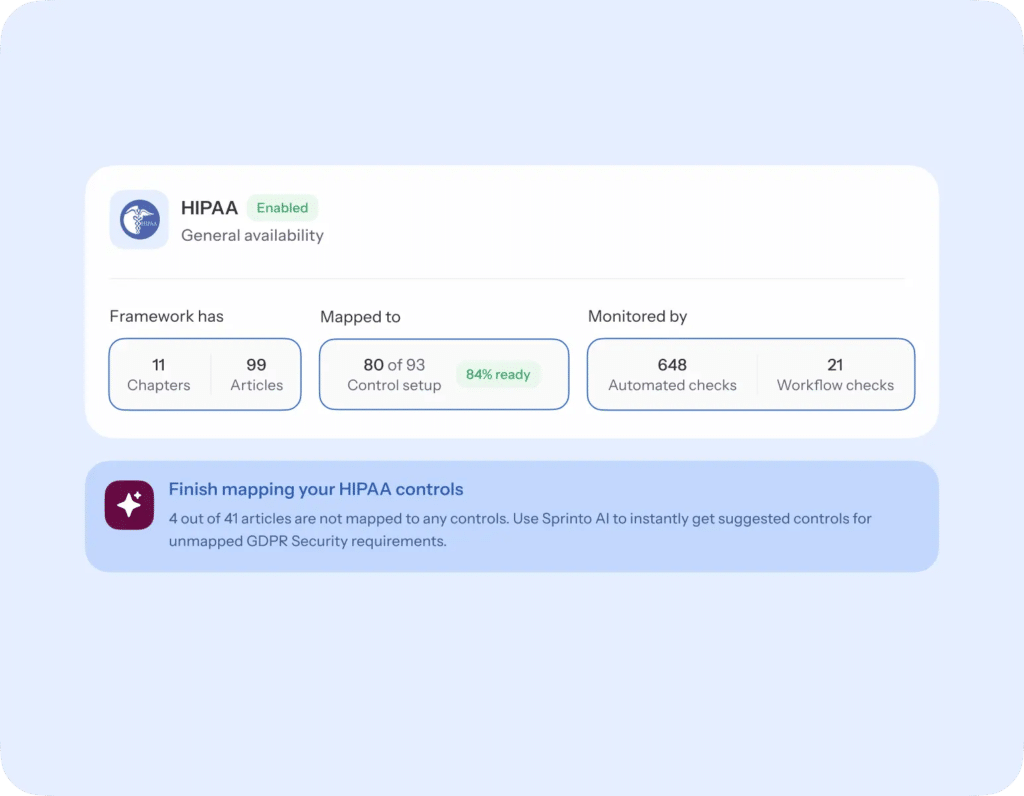
Best for SaaS companies that need to get audit-ready in days, not weeks or months. Sprinto is an autonomous trust platform with AI-native GRC features to bridge the gap between technical controls and legal requirements. It provides out-of-the-box policy templates that map directly to your existing cloud infrastructure.
Key features:
- Continuous control monitoring: Always-on checks that flag issues in real time, keeping your environment aligned with HIPAA without extra effort.
- Vendor security oversight: Centralized tracking of third-party vendors, their security posture, and breach alerts, supporting HIPAA vendor monitoring requirements.
- One-click Trust Center: Instantly create a shareable trust center pre-populated with certifications, policies, controls, and real-time security status for customers or auditors.
- Risk analysis & remediation support: Maps HIPAA requirements to real assets, continuously identifies gaps, assigns remediation tasks, and tracks progress.
- Incident & breach readiness: Helps document incidents, timelines, and corrective actions to support defensibility during OCR investigations or compliance reviews.
| Pros | Cons |
| Users report reducing manual compliance work by up to 98%, as the platform “fetches” evidence rather than requiring manual uploads. | While the UI is clean, the advanced customization options can be overwhelming for teams |
| If you later need SOC 2 or GDPR, Sprinto automatically maps your existing HIPAA work to those frameworks so you don’t start from scratch. | The initial configuration requires effort to ensure that all integrations are correctly mapped to your internal processes. |
2. Compliancy Group – For guided “total” compliance and small practices
Best for small healthcare practices seeking a structured path to full HIPAA compliance. Their “The Guard” platform walks organizations through required policies, risk assessments, and documentation workflows, helping ensure nothing is missed.
Key features:
- Policy templates and customization: Includes editable HIPAA-aligned policies for faster setup
- Vendor tracking and BAA management: Maintains logs of third-party agreements and annual reviews
- Trust Badge: Public indicator of active compliance status with real-time updates
| Pros | Cons |
| Direct access to human experts who review your documentation and guide your remediation plans. | Requires more manual input and “yes/no” responses than cloud-native automated tools. |
| The interface is built for medical office managers, not IT engineers. | Because it involves human review and coaching sessions, it may take longer to reach “completion.” |
3. Vanta – For continuous automated monitoring
Best for tech-based startups that want always-on visibility into their security posture. Vanta connects to your tech stack (AWS, GitHub, Okta) and acts as a 24/7 digital security guard, alerting you the moment a laptop isn’t encrypted or a new employee hasn’t finished their training.
Key features:
- 400+ native integrations: Automatically pulls evidence from almost every modern SaaS and cloud tool.
- Hourly security tests: Scans your environment every hour to detect configuration “drift” before it becomes a HIPAA violation.
- Automated personnel tracking: Tracks employee background checks and security training completion in real-time.
| Pros | Cons |
| A public-facing (or private) dashboard to share your security posture with potential healthcare partners. | It can be expensive for very small teams or solo practitioners. |
| Can get tech teams audit-ready in weeks with automation | Its value is diminished if your organization still relies heavily on paper records or legacy on-premise hardware. |
4. Drata – For enterprise-grade scaling and AI-driven trust
Best for larger organizations managing HIPAA alongside frameworks like SOC 2 or ISO 27001. Similar to Vanta but built for scale, Drata uses AI to automate risk assessments and evidence collection, making it a favorite for growing and enterprise teams.
Key features:
- AI questionnaire assistance: Uses AI to help your team quickly answer complex security questionnaires from healthcare partners.
- Audit hub: A dedicated space where you can invite auditors to view evidence directly, eliminating “email tag.”
- Multi-framework mapping: Automatically applies HIPAA evidence to other certifications, such as SOC 2 or GDPR.
| Pros | Cons |
| Allows technical teams to create custom controls and automated tests | The depth of features and customization can be overwhelming for teams without a dedicated IT lead. |
| Built to handle complex, multi-entity organizations with a large number of employees | While automated, the initial setup for a complex enterprise can take significant internal coordination. |
5. SimplePractice – For an all-in-one clinical workflow
Best for private practitioners who want compliance embedded into daily operations. The most popular choice for private practitioners, it integrates HIPAA compliance into the daily tools doctors actually use: scheduling, paperless intake, and billing, so compliance happens “in the background” of clinical work.
Key features:
- Integrated telehealth: Secure, one-click video appointments that are inherently HIPAA-compliant without external plugins.
- Paperless intake & assessments: Automated sending of PHQ-9, GAD-7, and custom consent forms that patients can sign electronically.
- Auto-billing & claims: Features a built-in credit card processor and automated insurance claim filing (for Plus plans) directly from session notes.
| Pros | Cons |
| Excellent mobile app that lets clinicians securely manage their entire practice and patient records from a phone. | Costs can escalate quickly with “add-on” fees for additional clinicians and insurance processing. |
| Saves hours weekly by automating appointment reminders and billing workflows. | Customer service is primarily handled via email or chat; phone support can be difficult to reach. |
6. Paubox – For seamless, “no-portal” email encryption
Best for healthcare teams that want secure communication without patient friction. It solves the biggest hurdle in healthcare communication by encrypting everything in the background, allowing patients to read emails directly in their regular inbox without additional logins.
Key features:
- Zero-step encryption: Automatically encrypts 100% of outbound emails without requiring keywords like “[Secure]” in the subject line.
- HITRUST CSF certified: Meets the highest industry standards for security, providing a level of assurance beyond basic HIPAA requirements.
- Inbound security suite: Includes advanced protection against phishing, ransomware, and executive impersonation.
| Pros | Cons |
| Patients open emails directly in their regular inbox (Gmail, Outlook), leading to much higher response rates. | Significantly more expensive than basic encrypted email services or standard Microsoft/Google add-ons. |
| Allows for HIPAA-friendly email marketing campaigns using patient data (on higher tiers). | Lacks the ability to “unsend” or expire an email once it has been delivered. |
7. Updox – For unifying practice communication
Best for busy clinics that need secure communication in one place. A productivity powerhouse, it brings secure texting, video chat, and e-fax into a single “inbox,” reducing the number of different apps staff must log into to stay compliant.
Key features:
- Digital fax management: Converts paper faxes into digital files that can be signed, edited, and routed to an EHR with one click.
- Secure texting: Allows staff to text patients from the office number (rather than personal cells) to confirm appointments or send links.
- Electronic form builder: Allows patients to fill out forms on their own devices before their visit, which then syncs to the clinical inbox.
| Pros | Cons |
| Virtually eliminates the need for physical fax machines, paper, and toner. | Users frequently report delays in customer support response times during critical outages. |
| Strong integrations with major EHRs like Practice Fusion, Greenway, and Allscripts. | Pricing can be opaque, with some users reporting unexpected increases or complex contract terms. |
8. Atlantic.Net – For turn-key compliant server infrastructure
Best for healthcare teams that need HIPAA-ready hosting without managing infrastructure complexity. As a foundational layer for healthcare IT, they provide managed hosting that is already HIPAA-audited, so developers don’t have to worry about physical security or server-level encryption.
Key features:
- Hardened security stack: Includes managed firewalls, Intrusion Detection (IDS), and bi-weekly vulnerability scans.
- 100% uptime SLA: Offers hardware and network availability guarantees essential for mission-critical medical apps.
- Encrypted backups: Automated onsite and offsite backups that are fully encrypted and tested for disaster recovery.
| Pros | Cons |
| One of the few hosting providers that specializes specifically in regulated healthcare environments. | Requires someone on your team with server administration knowledge to manage the applications hosted on the servers. |
| They sign a comprehensive BAA at no additional cost that covers the entire infrastructure layer. | Provisioning a fully compliant private environment takes longer than launching a standard cloud instance. |
9. TrueVault – For developers building healthcare apps
Best for development teams that want to build healthcare applications without handling PHI directly. Unlike traditional hosting, TrueVault provides a “data vault” via an API, allowing developers to build apps while TrueVault handles secure storage and compliance with legal requirements.
Key features:
- De-identified data vault: Separates personal identity from health data, significantly reducing the scope of your HIPAA audit.
- Developer SDKs: Provides ready-made code libraries for iOS, Android, and Web to implement secure login and data storage.
- Automated audit logs: Generates the tamper-proof access logs required by HIPAA for every data request made via API.
| Pros | Cons |
| Developers can build features rather than spending months building encryption and access control systems. | Only useful for organizations building their own custom software; not for a standard medical office. |
| Built-in tools to handle patient requests for data access or deletion (Right to Access). | Your application’s core data is dependent on a third-party service; if their API is down, your app is down. |
10. Jotform Enterprise – For easy, secure patient intake forms
Best for healthcare organizations digitizing paper-based intake workflows. It offers a drag-and-drop builder for medical history, consent, and payment forms, which are automatically encrypted and stored in a HIPAA-friendly database.
Key features:
- HIPAA-friendly templates: Thousands of pre-built medical forms for everything from COVID-19 screening to surgical consent.
- Secure E-signatures: Legally binding signatures built directly into the forms with an audit trail.
- White labeling: Allows the forms to live on your own domain (e.g., https://www.google.com/search?q=forms.yourclinic.com) for a professional look.
| Pros | Cons |
| If you can use a mouse, you can build a HIPAA-compliant form; no IT department required. | HIPAA features are locked behind the Gold and Enterprise tiers, which are significantly more expensive than the free version. |
| Connects submitted data directly to Google Sheets, Salesforce, or Dropbox (HIPAA versions). | While customizable, you are still limited to Jotform’s layout engine; it’s not a “pixel-perfect” design. |
11. Caspio – For building custom, low-code healthcare apps
Best for hospitals or large clinics that need custom healthcare software without a full development team. Its low-code platform lets you build HIPAA-compliant, custom databases and applications by default.
Key features:
- Visual app builder: A “sandbox” environment where you can build databases, search interfaces, and reports via drag-and-drop.
- Unlimited users: Unlike most HIPAA tools, Caspio allows you to scale to thousands of patients/users without a per-seat fee.
- Compliance edition: A specific version of the platform that includes data encryption at rest and a signed BAA.
| Pros | Cons |
| You can build exactly what you need (e.g., a custom clinical trial tracker or a specialized patient portal). | While “low-code,” it still requires an understanding of database logic and relationships. |
| Handles high-volume data and large numbers of users more efficiently than simple form builders. | The HIPAA features are only available on higher-tier Professional and Enterprise plans. |
Sprinto gives you one source of truth for HIPAA.
👉 Talk to experts →
How to choose the right HIPAA compliance software for your business?
Choosing HIPAA compliance software isn’t just a procurement decision; it’s a risk decision. Regulators increasingly expect proof of active, ongoing compliance, not just documented intent. The wrong assumptions here can expose you to audits, fines, and reputational damage.
Here’s how I recommend you approach the decision:
1. Define your organization type
Start by identifying your operational reality. Are you a private practice, a growing healthtech SaaS company, or a multi-location healthcare group?
Your structure determines the level of workflow depth and oversight you need. Smaller teams typically benefit from guided, automation-heavy tools. Larger or distributed organizations require centralized dashboards, role-based controls, and structured oversight across entities.
2. Determine how much automation you need
You should assess how much manual effort your team can realistically handle. If compliance sits with IT or operations rather than a dedicated GRC team, automation becomes critical.
Look for platforms that automatically collect evidence, track training, monitor access controls, and surface gaps in real time. The less you rely on spreadsheets and reminders, the more sustainable your HIPAA program becomes.
3. Evaluate the monitoring model
Not all tools operate the same way. Some prepare you for periodic assessments. Others continuously monitor your environment. You should prioritize platforms that integrate with your cloud infrastructure, identity providers, and endpoints to automatically detect configuration drift. HIPAA safeguards must be maintained daily, not reviewed once a year.
4. Assess vendor risk management capabilities
HIPAA compliance extends to your business associates. That means you need structured tracking of BAAs, third-party assessments, and remediation workflows. If vendor oversight isn’t built into the system, you’ll end up managing third-party risk manually, which creates blind spots.
5. Plan for scale
Even if you’re small today, complexity increases quickly as you add employees, systems, or locations. Choose a platform that supports centralized visibility, repeatable workflows, and the ability to expand into additional frameworks if needed. Migrating tools mid-growth is costly and disruptive.
If you evaluate tools through these lenses, fit, automation depth, monitoring model, vendor oversight, and scalability, you’ll select a healthcare compliance platform that strengthens your security posture instead of adding operational friction.
What are some red flags to consider when evaluating HIPAA tools?
Here are the most common mistakes to avoid:
1. Believing software alone makes you compliant:
Buying a platform doesn’t make you “HIPAA compliant.” Software supports compliance, it doesn’t replace administrative duties like appointing a Privacy Officer, running training, or enforcing physical safeguards.
What to do instead: Use software to track and monitor safeguards, but maintain clear internal ownership of compliance responsibilities.
2. Skipping the BAA check:
If a vendor won’t sign a Business Associate Agreement (BAA), you cannot store PHI in that system, period. Many organizations mistakenly use free or standard plans that don’t include BAAs.
What to do instead: Confirm in writing that your specific subscription includes a signed BAA before uploading any PHI.
3. Misreading the shared responsibility model:
Using AWS, Azure, or GCP doesn’t automatically make your app compliant. Cloud providers secure infrastructure; you’re responsible for application-level controls like access management, encryption settings, and audit logs.
What to do instead: Choose tools that monitor both infrastructure and internal access controls continuously.
4. Treating “addressable” as optional:
“Addressable” safeguards under HIPAA are not optional; they must be implemented unless you formally justify an alternative. Encryption at rest is a common example.
What to do instead: Select platforms that document safeguard decisions and maintain defensible audit trails.
5. Ignoring human error:
Most HIPAA breaches result from internal mistakes, not hackers. Weak access controls and untracked training create exposure.
What to do instead: Prioritize tools with strong RBAC, least-privilege enforcement, and automated training tracking.
Build a HIPAA program that runs itself
HIPAA compliance software shouldn’t just help you prepare for an audit. It should help you operate in a state of continuous readiness, without adding headcount or manual overhead.
That’s where Sprinto fits differently.
Sprinto is an autonomous trust platform built for AI-native GRC. Instead of treating HIPAA as a documentation exercise, it connects directly to your cloud infrastructure, identity systems, HR tools, and endpoints to monitor safeguards in real time. Controls are mapped to HIPAA requirements out of the box, evidence is collected automatically, and gaps are surfaced before they become audit findings.
With built-in HIPAA policy templates, structured risk workflows, vendor oversight tracking, and continuous control monitoring, Sprinto helps you move from reactive compliance to operational discipline. As your organization grows, the same system can extend into SOC 2, ISO 27001, and other frameworks, without duplicating effort.
If your goal is to stay audit-ready without building a full GRC team, explore the platform and see how continuous HIPAA compliance should work in practice.
FAQs
The best HIPAA compliance software depends on your organization type and risk profile. Small practices may prioritize simplicity and guided workflows, while SaaS and mid-market teams typically need automation, continuous monitoring, and integration with cloud infrastructure. In 2026, Sprinto, Compliance Group, Vanta and Drata rank among the best.
Software itself isn’t automatically “HIPAA compliant.” A tool supports HIPAA compliance if it enables required administrative, physical, and technical safeguards and the vendor signs a Business Associate Agreement (BAA). Without a BAA and appropriate safeguards, software cannot be used to store or process PHI lawfully.
Pricing varies widely based on organization size, automation depth, and scope. Small-practice tools may start around a few thousand dollars per year, while automation-driven or multi-framework platforms can range from $10,000 to $50,000+ annually. Costs typically scale with integrations, users, and additional compliance frameworks.
If a startup handles Protected Health Information (PHI), it needs a structured way to manage HIPAA safeguards. Early-stage companies often lack dedicated compliance teams, which makes automation especially valuable. The earlier compliance is operationalized, the easier it is to scale securely.
Software supports HIPAA compliance when it enforces strong encryption, access controls, audit logging, and risk management workflows, and when the vendor signs a BAA. Beyond features, it must help you document safeguards, continuously monitor them, and demonstrate compliance during audits or investigations.

Payal Wadhwa
Payal is your friendly neighborhood compliance whiz who is also ISC2 certified! She turns perplexing compliance lingo into actionable advice about keeping your digital business safe and savvy. When she isn’t saving virtual worlds, she’s penning down poetic musings or lighting up local open mics. Cyber savvy by day, poet by night!
Go beyond the surface and uncover the governance, risk, and compliance insights that actually matter.


Win digital goodies for boardroom success



Explore more












research & insights curated to help you earn a seat at the table.