TL,DR:
| GDPR classifies cookies as personal data requiring explicit user consent before activation. Consent must be freely given, specific, informed, and unambiguous, with pre-ticked boxes invalid |
| Cookie compliance involves three components: a GDPR cookie policy (what cookies are used and why), a consent banner (clear accept/reject options), and a consent management plan (tracking and storing consent records) |
| Cookies fall into 4 categories: essential, analytics, preferences, and marketing. Each requires separate disclosure, and Austria’s DPA banned Google Analytics on European websites for GDPR violations |
Introduction
Cloud-hosted companies that operate websites with global traffic must know about GDPR and cookies. In May 2020, the EU released an update to clarify their specific position around cookie usage.
Cookies give important insights to companies about the activity of their website visitors.
Cookies are small files sent by websites to the visitor’s device, which are used to monitor the visitor’s online behavior and remember information such as login information or cart contents. They’re intended to enhance the visitor’s online experience but concerns around accessing and reselling personal data have given rise to the legal requirement for cookie disclosures.
They store vast amounts of information that can potentially be used to identify you without your consent.
GDPR categorizes cookies as “online identifiers” that are part of personal data, hence they require consent.
Cookies embedded by services like Google Analytics, HubSpot, Shopify, and social media plugins are common ways in which personal data is collected. 80 percent of consumers around the world revealed that they would stop patronizing a brand if their data was used without their permission. Amid growing data privacy concerns, Google intends to stop using third-party cookies by the end of 2023.
EU data protection authorities levy fines for failure to implement GDPR cookie consent requirements; the Austrian DPA famously banned Google Analytics on European websites for violating GDPR rules. The fine structure itself follows a tiered model – our breakdown of GDPR fines shows how the 4% of global turnover ceiling actually translates into the smaller everyday penalties most cookie-consent enforcement actions land at.
When you comply with GDPR cookie requirements, you also conform to the ePrivacy Directive or Cookie Law (EU). Soon, it may be replaced by an even more specific law called the ePrivacy Regulation.
In this article, we will help you understand GDPR cookie consent and how you can implement it on your website.
What is GDPR Cookie Consent?
GDPR cookie consent refers to obtaining users’ consent to activate cookies and trackers that collect specific data on a website. Consent may be given for all cookies, some categories (like social media), or none at all. Cookie consent is one line item on a broader GDPR compliance checklist that also covers data-subject rights, lawful processing basis, breach notification, and DPO appointment – getting consent right is necessary but not sufficient for full compliance.
Global privacy laws like the GDPR, the ePrivacy directive or Cookie Law (EU), and the California Consumer Privacy Act (CCPA) mandate cookie consent.
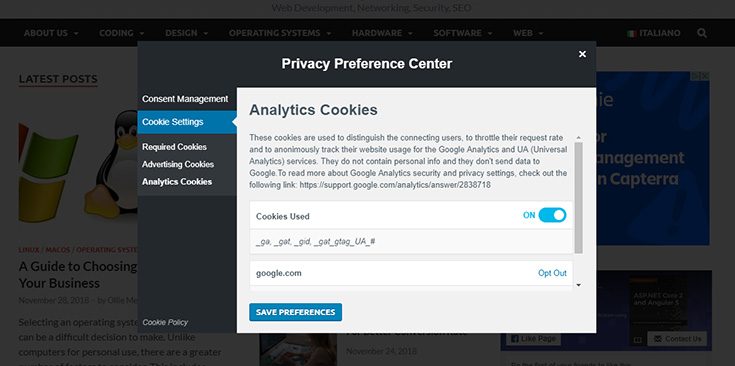
Source: Ryadel
How Does Cookie Consent Work?
GDPR cookie consent is specific, unambiguous, informed, and freely given consent to website visitors to accept, deny, or set their preferences for the use of all cookies or specific types of cookies on that website. When a visitor first lands on the website, cookie consent is given through banners, clickwraps, or site pop-ups.
Tracking cookies or “trackers” are small files placed on websites by third-party advertisers to monitor the user’s web browsing activity, location, purchase history, device information, search queries, and so on.
Cookie consent is important to prevent companies from violating your data privacy by tracking your personal information.
What is Data Privacy?
Data privacy considerations are important for cloud-hosted companies that use cookies or handle personal electronic data. Compliance with relevant data privacy laws is necessary for business continuity.
Also known as information privacy, data privacy is a branch of information security that is involved in the proper handling of sensitive data, especially personal data, to meet regulatory requirements and protect its confidentiality and integrity. It also involves handling other confidential data like intellectual property data and certain financial data.
Data privacy laws revolve around:
- If and in what manner data is shared with third parties
- How data is legally gathered and stored
- Regulatory limitations like the GDPR, CCPA, GLBA, or HIPAA.
“Privacy forms the basis of our freedom. You have to have moments of reserve, reflection, intimacy, and solitude,” says Dr. Ann Cavoukian, former Information & Privacy Commissioner of Ontario, Canada, and the creator of Privacy by Design (PbD).
GDPR Cookie Consent Requirements
As per GDPR cookie consent requirements, the basic guidelines for legally using cookies are:
- Be aware of what cookies your site uses and which cookie categories they belong to
- Outline cookie use clearly in the privacy policy and GDPR cookie policy
- Ensure users are aware of your privacy policy and GDPR cookie policy in clear GDPR cookie consent language
- Enable users to give clear and explicit consent to the use of cookies.
- Use non-essential cookies only after users have consented to them.
- Allow users to change their cookie preferences at any time or to withdraw consent completely.
- Honor the preferences and consent of users.
- Maintain retrievable logs of users’ consent preferences.
The major features of a GDPR cookie compliance plan include a cookie policy, a cookie consent banner, and a cookie consent management plan.
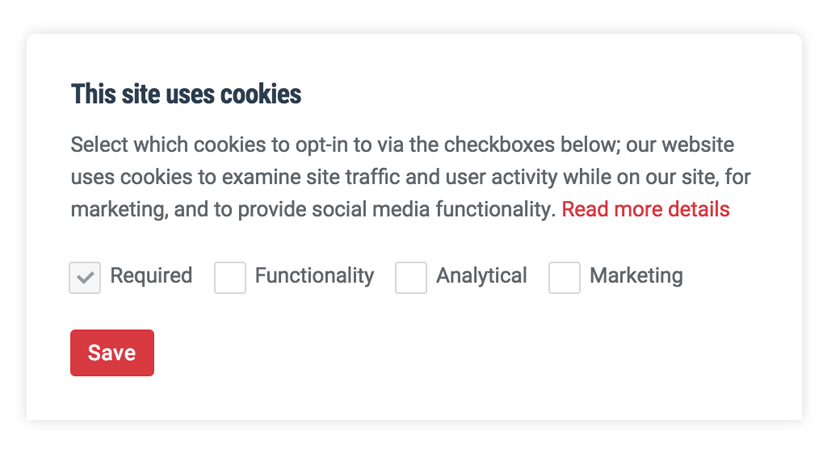
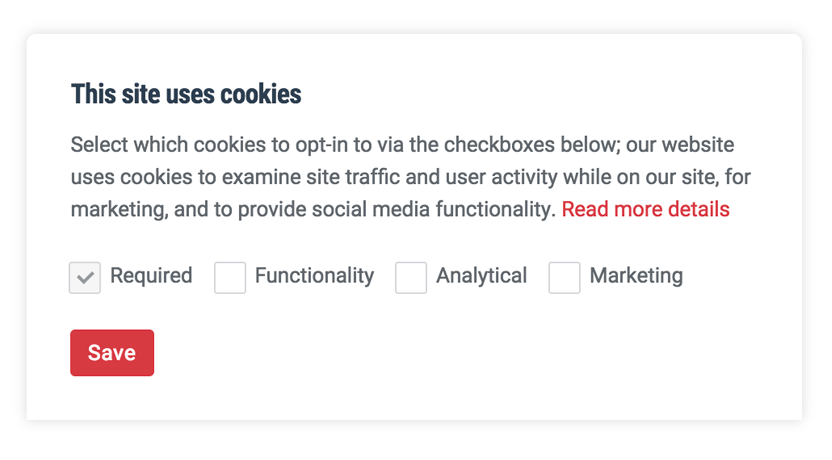
Source: Publii
A cookie consent banner is a cookie notice displayed on websites when a user first visits it. The notice informs users about the existence of cookies on the website and their rights with respect to it. It also requests users’ consent to deploy the cookies in the first place.
Cookie consent banners should be used by the following websites:
- Those that have EU-based users i.e that have cookies not actively blocking EU-based users
- Those belonging to an EU-based entity irrespective of whether their users are based in the EU
Cookie notice requirements are:
- Must briefly explain the purpose of the cookies installed by the website
- Should be adequately noticeable
- Should include a link to a clearly-worded cookie policy
- Must clearly mention whether accept and reject options will signify consent
- Should provide details of the type of cookies, purpose, use, and related third-party activity
Implementing GDPR Cookie Consent on Your Website
Follow these seven steps to get your website GDPR compliant with respect to cookies:

Source: Privado
1. Get the user’s permission before installing cookies
Before deploying cookies on the user’s device, you need to get prior consent. Cookies have to be classified, labeled, and set according to the consent preferences of the user. This task can be automated using a cookie management platform.
2. Make sure checkboxes are not pre-checked
Cookies that handle personal data must be actively opted into by users – and for consent to be valid, there should be an unambiguous indication of the user’s wishes through a clear affirmative action or statement. Consent is only one of the GDPR data subject rights that sits behind a cookie banner; the same affirmative-action standard later applies to withdrawal of consent, access requests, and erasure under Articles 15-17, which is why the consent record itself has to be queryable and auditable.
Essential cookies cannot be disabled because they are whitelisted and necessary for the website to function properly.
3. Keep website accessible during the consent choices
Ensure that the user does not encounter a cookie wall that prevents entry to a website unless the user provides full consent to all cookies.
4. Check that the consent given can be easily changed
Even after users have granted consent to cookies, enable them to change or withdraw consent at any time. Present this option in the footer, on the cookie declaration page, or as a widget.
Give your users confidence that they can manage their privacy settings on your website any time they want.
5. Give an option to easily erase or delete data
Users should have the option to easily erase or delete their data from the website.
6. Register given consent
The GDPR requires you to register all consent visitors have granted to place tracking cookies on their devices. The European Data Protection Board (EDPB) allows website owners to do this in any manner they want.
Logs should contain:
- Who? E.g. by logging the IP address
- When? E.g. by logging the date and time
- What? E.g. by logging consent granted along with the category of cookies
7. Inform visitors about cookies set by your website
Publish a cookie declaration to ensure your visitors are aware of all the cookies on your website. Provide accurate and precise information about the cookies. List them along with their origin, length, and purpose.
Categorize your cookies (required/essential, analytics, preferences, and marketing) and provide a description of the purpose.
The cookie declaration displays the user’s current consent status and enables them to accept or reject their consent.
Conclusion
Various countries have taken steps to protect the personal data of their citizens, but data privacy law has not been taken seriously. This state of affairs is set to change with the GDPR. Cloud-hosted companies will now have to be extra careful about how they obtain consent and collect, store, and use personal data.
Cookie consent shows how challenging it can be to interpret the GDPR’s guidelines. Throughout its 88 pages, it mentions cookies only once (in Recital 30) and indirectly as “online identifiers.” Thus, cloud-hosted companies attempt to take shortcuts to compliance and consequently attract fines.
You can avoid falling into that trap by using Sprinto, a hassle-free and tech-enabled experience for GDPR compliance.
Frequently asked questions

Author
Bhuvesh Lal
Bhuvesh writes about security compliance, governance, and risk management for modern SaaS businesses. At Sprinto, he focuses on helping companies understand and navigate frameworks like SOC 2, ISO 27001, HIPAA, GDPR, and AI compliance requirements.Go beyond the surface and uncover the governance, risk, and compliance insights that actually matter.


Win digital goodies for boardroom success



Explore more









research & insights curated to help you earn a seat at the table.